v1.13: Color Themes & Fresh Eyes

This update lets you make LevelHabit look the way you like. Pick from three color themes, give your hero the new Medium eyes, and spot your weekly and monthly habits at a glance. We also smoothed out the hero creator on smaller phones and tidied up sheets, switches and labels across the app.
Pick your color theme
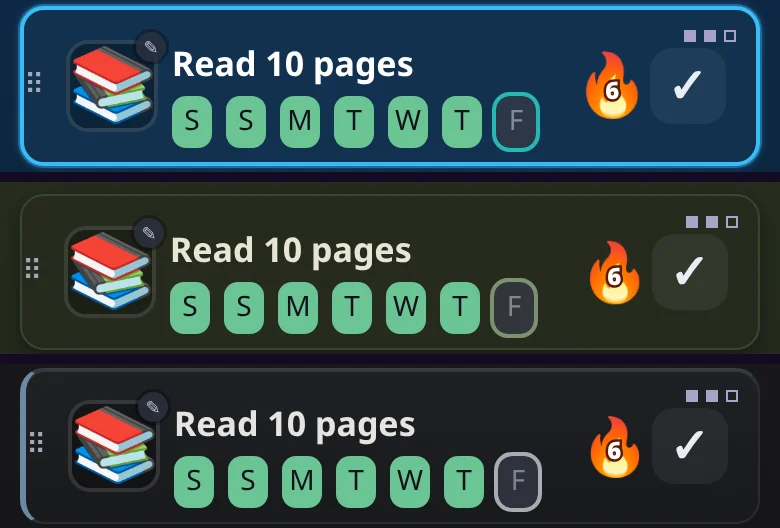
LevelHabit now comes in three color themes. Retro is the default, with a fresh navy and teal look. Earthy brings calm olive and sage tones, and Matte keeps things soft and charcoal. Your theme colors your habit cards, buttons, switches, sheets and adventure card, and it's saved to your account.
You can pick a theme right in the hero creator, where the whole app previews it live as you tap. Hit Save my hero to keep it, or Cancel to go back to the theme you had. You can also switch any time in Settings under Sound & look.
A new Medium eye

Heroes get a new eye style called Medium, with slightly wider eyes and a bright little shine. The Eyes picker now offers Medium, Small and Large, and new heroes start with Medium. Your hero keeps the new eyes everywhere, even during the level-up celebration. Want to try them on your hero? Tap Recreate hero on your hero profile and pick Medium.
Weekly and monthly habits stand out
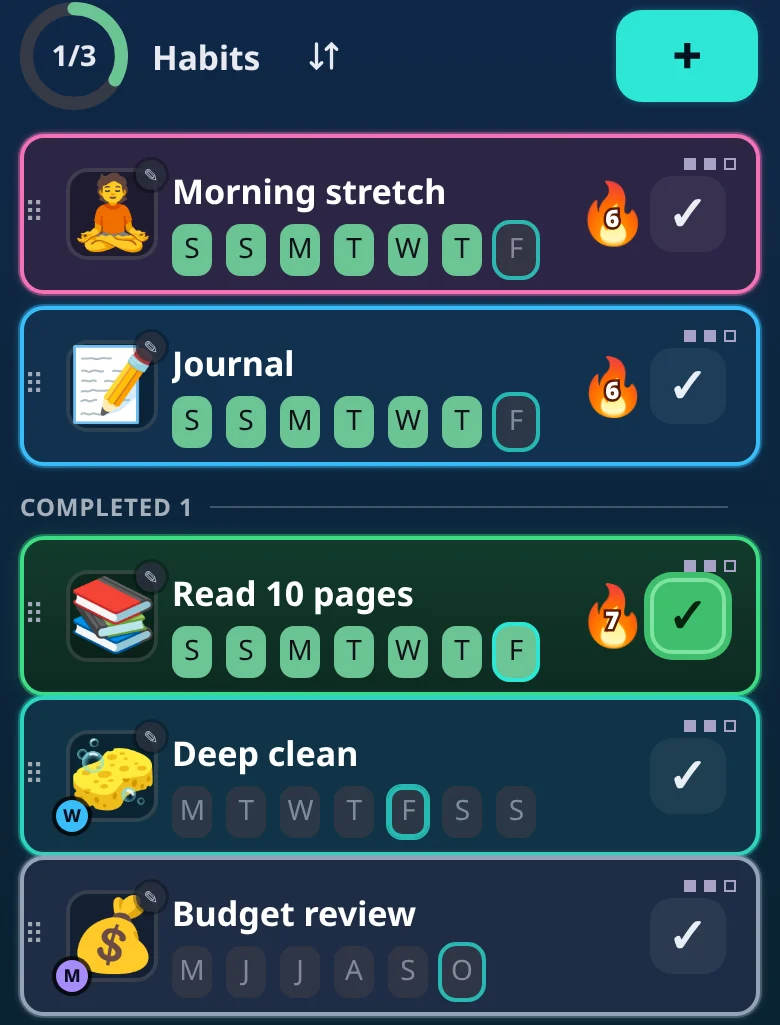
Weekly habits now show a small W badge on the corner of their icon, and monthly habits show an M, so you can tell them apart at a glance. Their cards are brighter too, so they look just as lively as your daily habits. In the Retro theme, checked-off habits turn a cheerful green.
Improvements and fixes
- Tapping the tab you're on closes any open sheet, and tapping a different tab closes the sheet before switching.
- The Quests and Friends sheets now end right above the tab bar, so nothing hides behind it.
- Settings switches have a cleaner pill-shaped look.
- The setting that scrolls your hero into view when you check off a habit now remembers your choice.
- Two Completed labels in a row now merge into one with the right count.
- Every row in the hero creator now fits on smaller phones, and the eye color swatches wrap onto a second line so you can see them all.
- The hero creator now keeps your scroll spot while you tap through options, and the last rows scroll clear of the buttons at the bottom.
- Your pet stays quiet while it naps, with no speech bubbles popping up.
- On iPhone, the top of the screen now matches the app instead of flashing white.